Կարգավորումներ
Միացման կարգավրումներ
Հետևեք այս պարզ քայլերին ArmIPTV-ն ձեր սարքի վրա կարգավորելու համար:
Setting up viewing through the OTTPlayer application
Official website: ottplayer.tv
- Register an account on the official OTTPlayer.tv website.
- Install the OTTPlayer app (purple icon) on your Samsung TV via Samsung Apps Manager or Smart Hub.
- Launch OTTPlayer on your TV and enter your registration details.
- In the registration field, name your device (e.g. Living Room TV).
- Log in to your account at ottplayer.tv on your phone/computer.
- Click Add Playlist, enter ArmIPTV as the title, and paste your M3U playlist link received via email/SMS.
- Assign the playlist to your newly created device and save.
- Restart the OTTPlayer app on your TV to start watching channels.

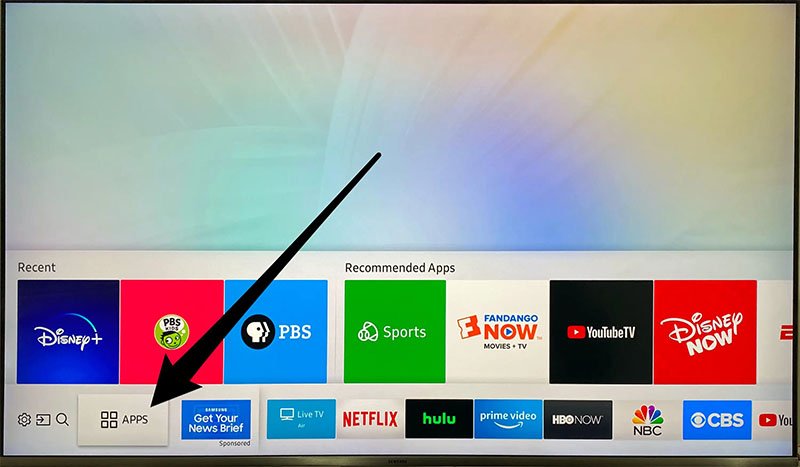
Setting up viewing on LG WebOS
- Open LG Content Store or LG Smart World on your LG TV.
- Search for OTTPlayer and install the application.
- Open OTTPlayer and sign in with your ottplayer.tv credentials.
- Go to ottplayer.tv in your browser, upload your ArmIPTV M3U link, and link it to your LG TV.
- Refresh the app on your TV to view all live channel categories.
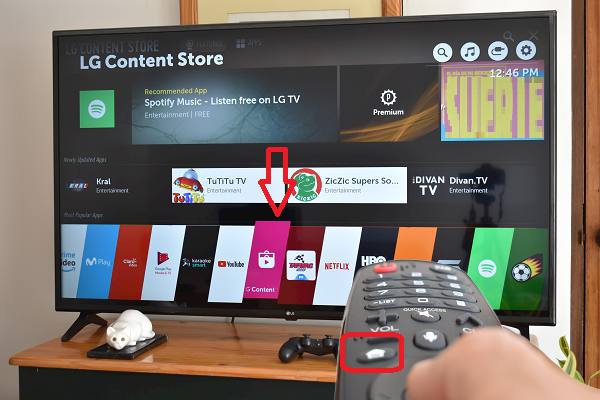
Televizo App Setup for Android
Televizo is a fast, high-performance player available directly on the Google Play Store.
- Open Google Play Store on your device and search for Televizo - IPTV player.
- Launch Televizo after installation and tap Create Playlist.
- Select New M3U playlist.
- Set Title as
ArmIPTVand paste your M3U playlist URL. - Tap the checkmark icon in the top right to save and load all Armenian TV channels.

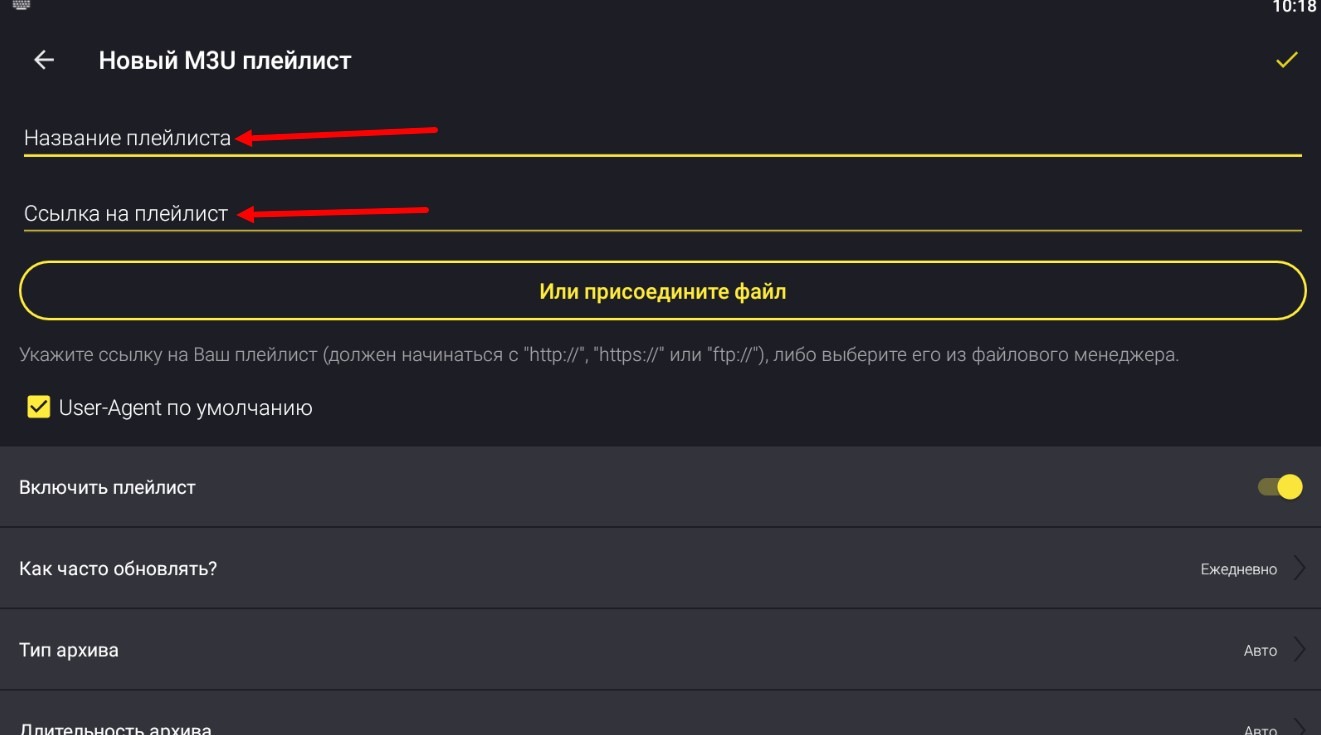
iOS & Apple TV Setup
- Download IPTV Smarters Lite or GSE Smart IPTV from the App Store.
- Select Add Playlist or Load your Playlist or File / URL.
- Enter ArmIPTV as the playlist name and paste your playlist M3U URL.
- Click Save and enjoy live streaming.